BROWSER TESTING / 01
The agent changes the app. Then it can inspect what you see.
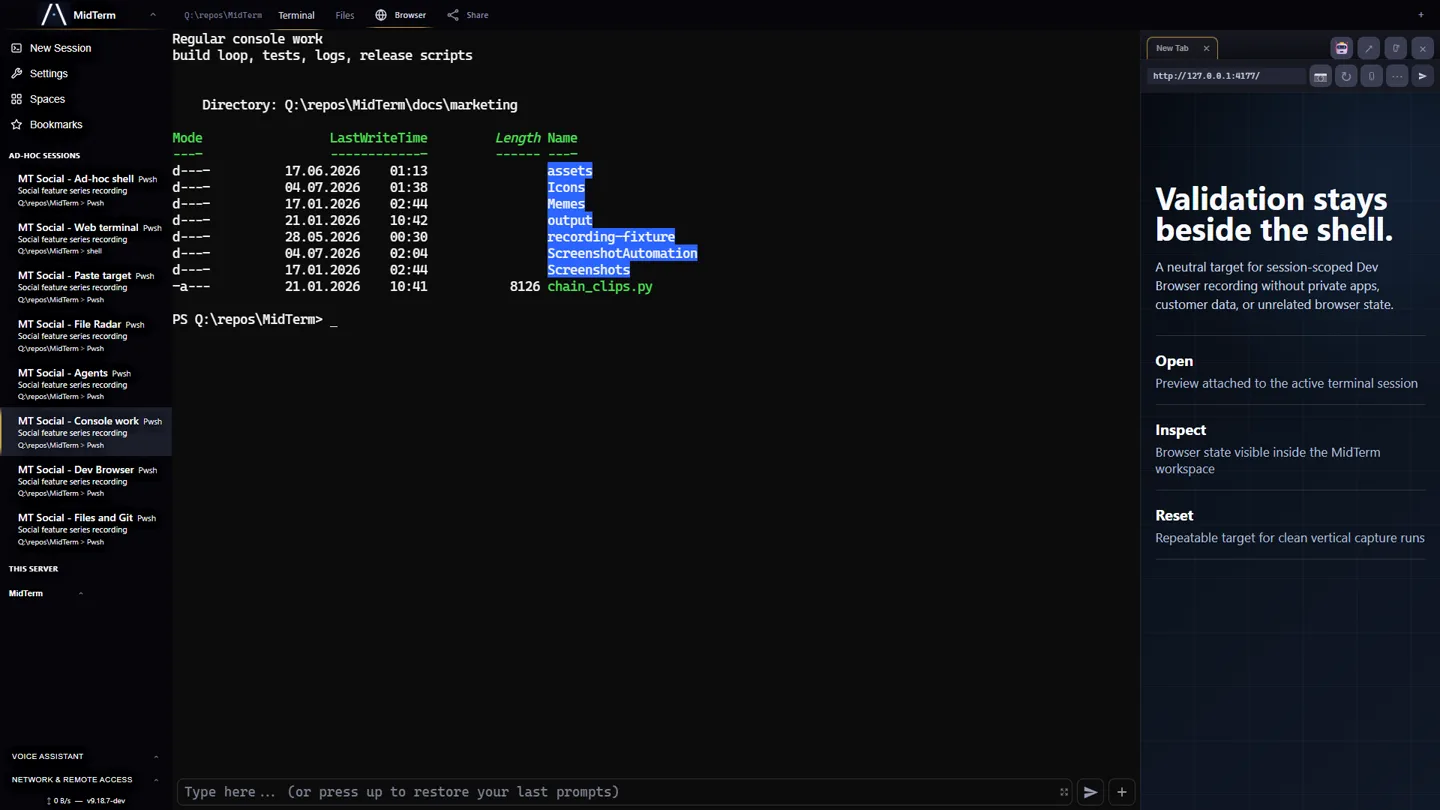
MidTerm docks the development browser beside the real PTY. You and the coding agent share one visible target, while explicit helpers expose structure, actions, logs, screenshots, and responsive state.
By Johannes G. E. Schmidt · Updated July 14, 2026
CLOSED LOOP / 02
Build, inspect, act, verify.
The feedback loop stays in the workspace where the code, server, logs, and agent already run.
Attach the real app
mt_open selects a URL, docks the Dev Browser, and waits for its bridge to become controllable. mt_status reports ready, waiting, or ambiguous instead of hiding attachment failure.
Read bounded evidence
Start with mt_outline, then use mt_text, mt_query, mt_attrs, or mt_css for the exact part of the page that matters.
Operate precise elements
mt_click, mt_fill, and mt_submit address explicit selectors. The agent can reproduce a flow without guessing coordinates from a screenshot.
Keep browser evidence attached
mt_log, mt_proxylog_summary, and mt_proxylog expose client errors and proxied requests; mt_screenshot preserves visual proof.
MINIMAL LOOP / 03
The interface is executable documentation.
. .midterm/mtcli.sh

mt_open http://localhost:5173
mt_status
mt_outline
mt_query '[data-testid="save"]' --text
mt_fill '#title' 'Persistent browser test'
mt_submit 'form'
mt_log error
mt_screenshot
The generated helper is an authenticated client for the current MidTerm session. A PowerShell equivalent is generated beside it. Agents can discover the surface from inside the repo instead of depending on a remote model integration or an undocumented plugin.
SHARED TARGET / 04
Visible to the operator. Addressable by the agent.
MidTerm's Dev Browser is deliberately not a hidden second world.
| Human view | The app stays beside the terminal. You can watch an action, take over, compare the layout, or inspect the same error the agent reports. |
|---|---|
| Agent view | Compact textual responses expose page structure and state without forcing the agent to consume a full screenshot for every check. |
| Host context | The preview can reach the development server and private services available to that MidTerm host; its browser login state stays with the preview while code and server remain on the machine. |
| No inferred meaning | MidTerm transports explicit browser state and commands. It does not decide whether the UI is correct; the agent and its instructions do that work. |
RESPONSIVE + DEVICE / 05
Start with dimensions. Escalate to device signals.
A narrow screenshot proves only the narrow layout. MidTerm keeps responsive checks, Chrome device emulation, and real-device validation deliberately distinct.
Set exact dimensions
mt_viewport 390 844 constrains the desktop iframe to a mobile-sized frame. Reset with mt_viewport 0 0. It does not change user agent, pointer, hover, touch, or lifecycle.
Check what moved
Query navigation, overlays, fixed controls, and the active form at the narrow width rather than assuming CSS breakpoints produced the intended layout.
Add device signals locally
The optional Mobile Device Bridge opens the preview in local Chrome with a Pixel profile, touch, Android identity, orientation, lifecycle, and keyboard-viewport approximation while retaining MidTerm's browser commands.
Validate the operating system
Use a physical phone for the actual software keyboard, Safari/WebKit, and OS-specific lifecycle behavior. A bridge screenshot cannot certify those boundaries.
BOUNDARY / 06
Use the right browser tool.
The shared visible target is the feature; it also defines the limits.
| Choose MidTerm | For iterative development where a terminal agent, developer, local server, and visible app should share one durable browser workspace. |
|---|---|
| Choose Playwright | For repeatable test suites, isolated browser contexts, multiple engines, CI execution, and high-volume automation. The tools can coexist. |
| Connected UI required | Browser commands need a live MidTerm browser tab and a controllable preview. If no UI client is connected, mt_open fails explicitly. |
| Device fidelity | The responsive frame changes dimensions only. The optional Chrome bridge adds Chromium device signals; Safari, iOS, and a real operating-system keyboard still require real hardware. |
| Security boundary | The helper carries a machine-local session credential. Treat generated .midterm helpers as secrets and keep remote MidTerm access behind HTTPS, authentication, and preferably a private network. |
ANSWERS / 07
Short answers.
Can a coding agent control MidTerm's Dev Browser?
Yes. Generated Bash and PowerShell helpers expose the selected preview's structure, text, attributes, computed CSS, actions, console and proxy logs, screenshots, and viewport size.
Is MidTerm a replacement for Playwright or a headless browser farm?
No. MidTerm optimizes for one shared, visible development browser beside a real terminal session. Playwright remains the better fit for repeatable suites, isolated browsers, and high-volume automation.
Does browser control require MidTerm's own AI?
No. The browser bridge and command helpers are deterministic control surfaces. The coding agent using them supplies the intelligence.
Can an agent test mobile behavior?
MidTerm's responsive frame is dimension-only. The optional Mobile Device Bridge adds Chrome device metrics, Android identity, touch, orientation, lifecycle, and a software-keyboard approximation. Real Safari, iOS, and operating-system keyboard behavior still require a real device.